Writing EPUB with Emacs
Table of Contents
This document explains different ways and features in Emacs to writing EPUB documents for the following purposes: general and academic text, for different subjects such as musical, mathematical, computation and informatics.

This work by Christian Gimenez is licensed under Creative Commons Attribution-ShareAlike 4.0 International (CC By-SA 4.0). See more about the license at https://creativecommons.org/licenses/by-sa/4.0/
Reference the original author and original work, even when creating derived works.
1. Introduction
The scientific community and academia uses PDF to write their documents. Most of them are created using , a What You See Is What You Get (WYSIWYG) software such as LibreOffice1 or privative ones.
However, PDF generated by compilers can be portable, and with a fair accesibility for people with disabilities, it cannot be used in certain devices. E-book readers are devices created for the solely purpose of reading documents. Their design are focused on battery life preservation and comfortable reading. Tipically, they use “electronic paper” or “electronic ink” (e-ink), a display technology to imitate electronically the ink in a paper (Carnoy 2024). The difference between the usual LCD displays (used by cellphones and computer monitors), is that it preserves the battery life longer by “moving” the ink electronically, and also it is readable even in light-time. However, the e-ink has low refresh-rate, making it inappropriate for interactive devices (Heikenfeld et al. 2011).
This work is structured as follows: The firsts sections explain the state of the art: Section 2 The next sections seek to assess possibly useful features that may help to improve productivity in writing EPUB documents.
2. EPUB standard
EPUB is a format for digital documents to distribute severa Web contents in a single-file package. Its specifications and notes are listed at (Garrish and Herman 2024) under the W3C. The main specification that defines EPUB 3.3 is (Cramer, Garrish, and Herman 2024), however an overview document can also be found at (Garrish and Herman 2023).
2.1. Features
This work focus on the following features:
Reflowable content, anchors and hyperlinks (local and external), pop-up footnotes and notes (NO_ITEM_DATA:consotium25).
For viewer programs: format, style, colours, and borders. Also, support for internationalisation: direction of text (for ex.: left-to-right, right-to-left, up-to-down) (Styling vertical Chinese and text 2022; Group 2020, 2019); chinese, japanese, and other language texts, unicode support.
Dictionaries, and glossaries (Bolick et al. 2015).
References and citation facilities (possibly implemented with hyperlinks).
Regarding confientiality and security: digital signature, and encryption.
Support for non-textual contents: vector images (SVG), raster images (PNG, JPG), music scores, math formulae, sounds (OGG), videos or animations (OGV, GIF, APNG, WebM).
Support for embedded required materials: embedded fonts.
3. Editors, viewers, and other tools ATTACH
3.1. Okular
Okular (version 24.08.3), a software included in KDE group supports EPUB.
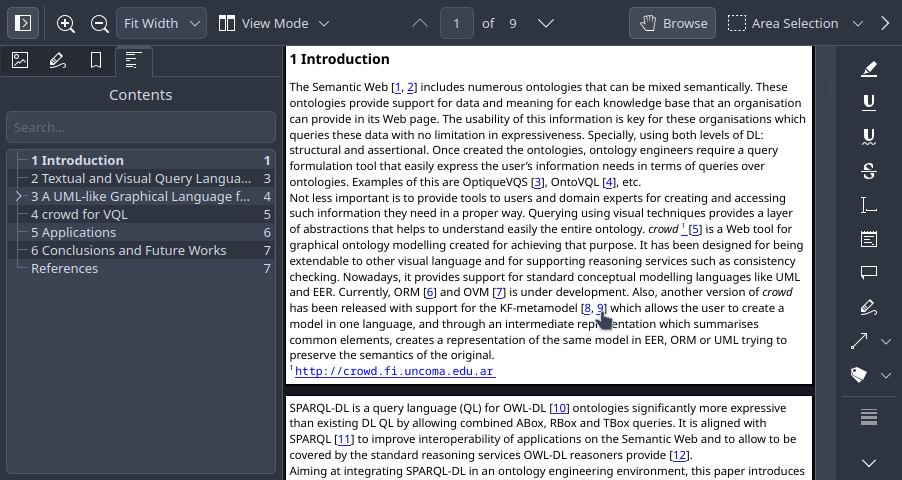
Figure 1: Okular screenshot with an EPUB file opened.
3.2. Calibre / ebook-viewer
Calibre (version 7.17), a software maintained by Kovid Goyal, provides ebook-edit and ebook-viewer software to edit and view EPUB and similar formats. The editor also has a checker writen in Python, which displays to the EPUB developer and writer errors and warnings in the code.
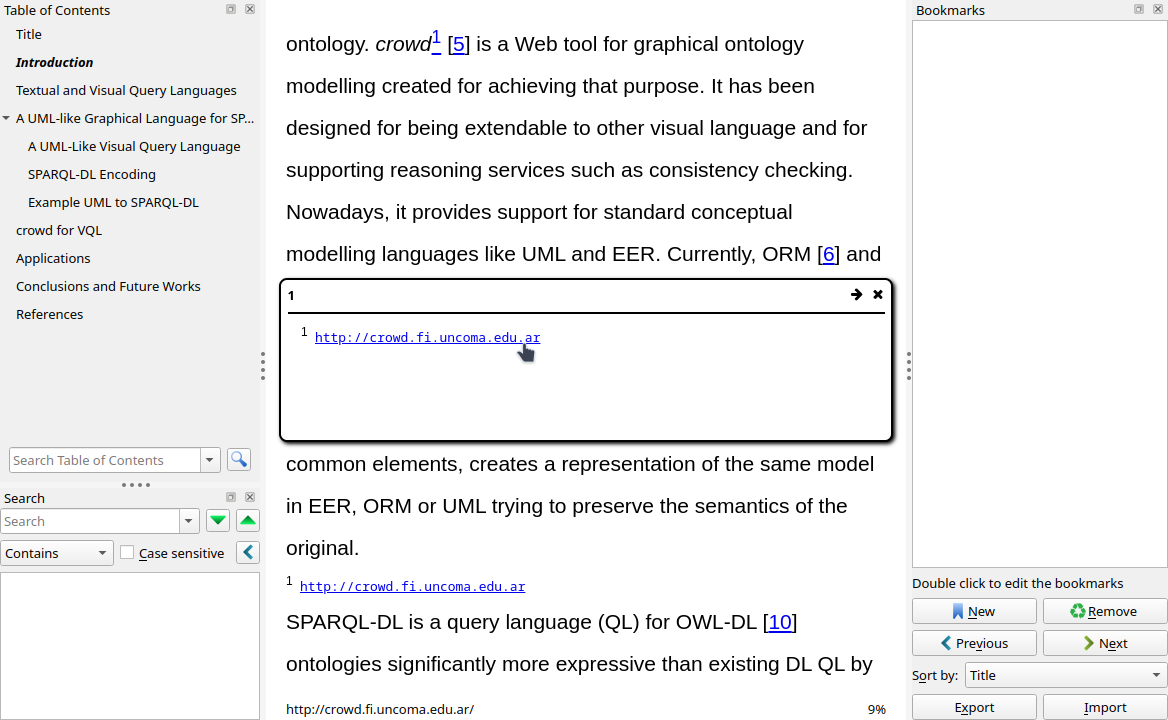
Figure 2: Calibre ebook-viewer program with a pop-up footnote.
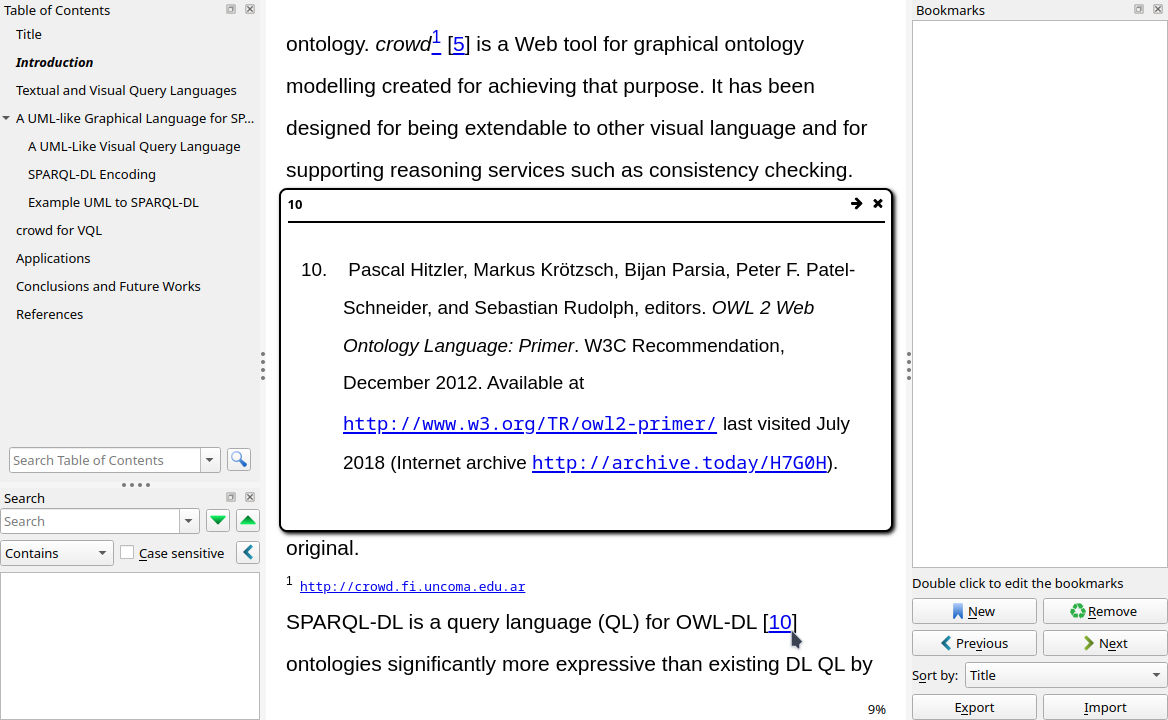
Figure 3: Calibre ebook-viewer program with a pop-up reference description.
3.3. TODO nov
3.4. TODO Arianna
3.5. TODO Sigil
3.6. TODO epubcheck
4. Emacs support for EPUB
This sections explains the current (as of 12-2025) support of Emacs.
4.1. Viewers ATTACH
The nov package (version 20240825.1528) shows a parsed XHMTL/HTML content. Most of the features listed above are parsed, but aesthetic styles specified in CSS are not applied completely. For instance, centered align, bold faces, and other styles are not visible in the buffer.
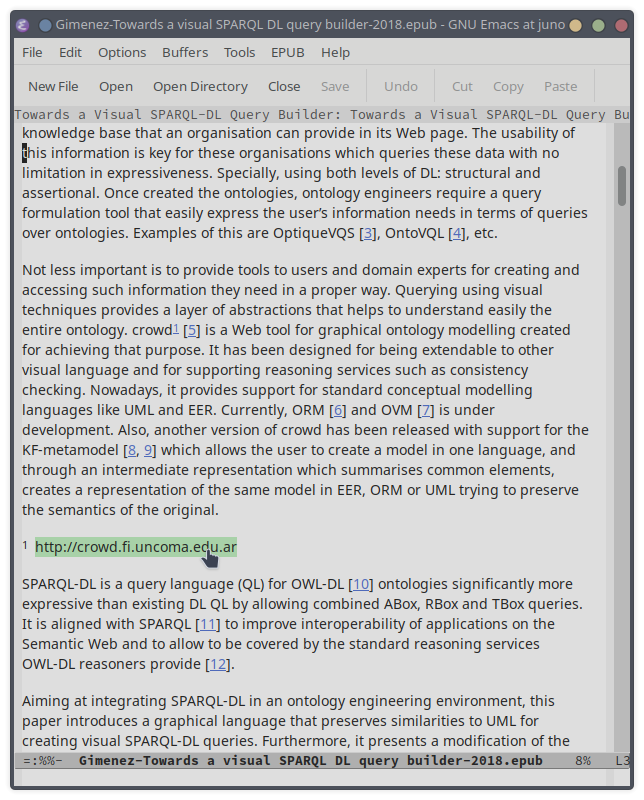
Figure 4: nov displaying links and footnotes..
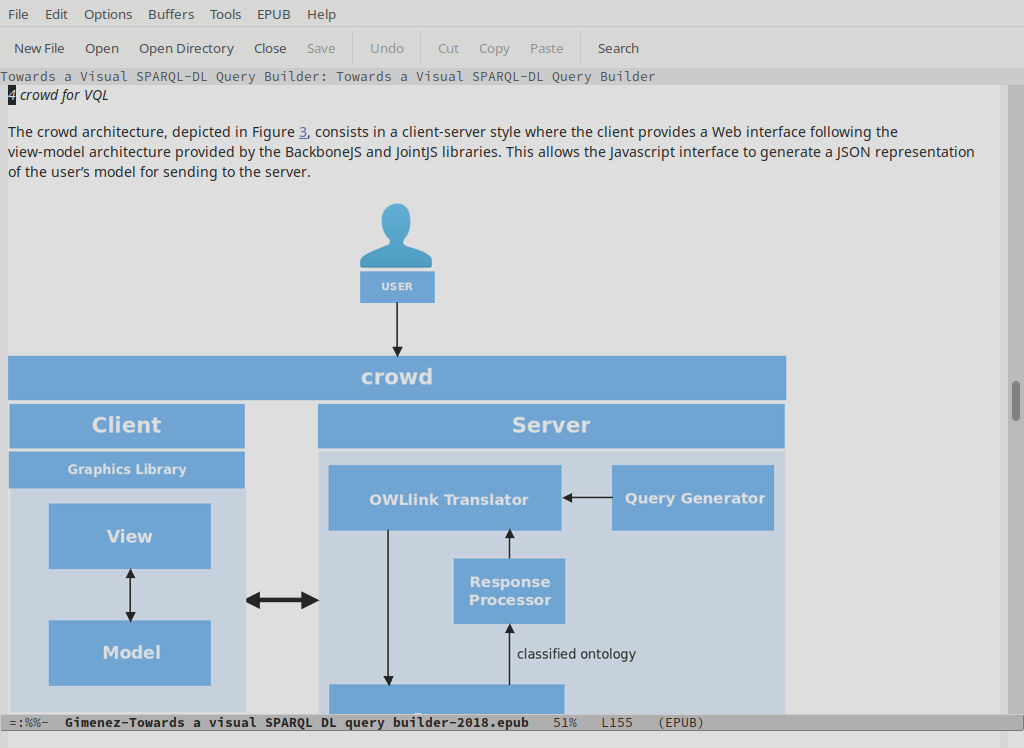
Figure 5: Testing reflowable content with nov in a larger screen.
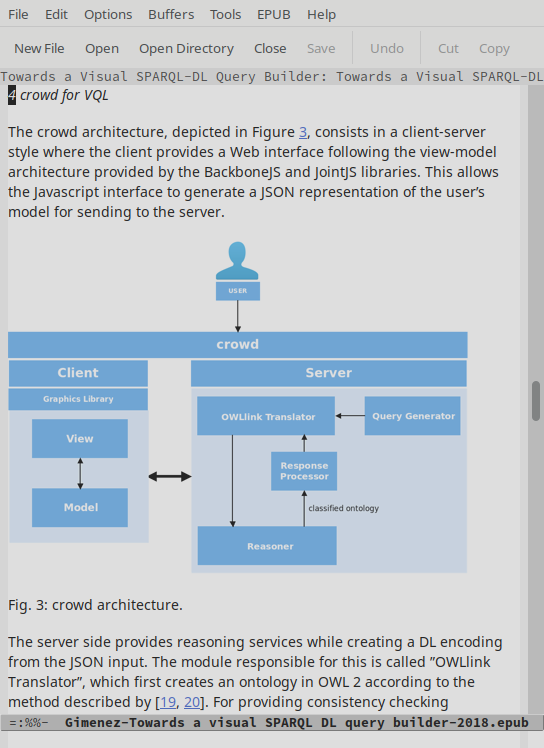
Figure 6: Testing reflowable content with nov in a smaller screen.
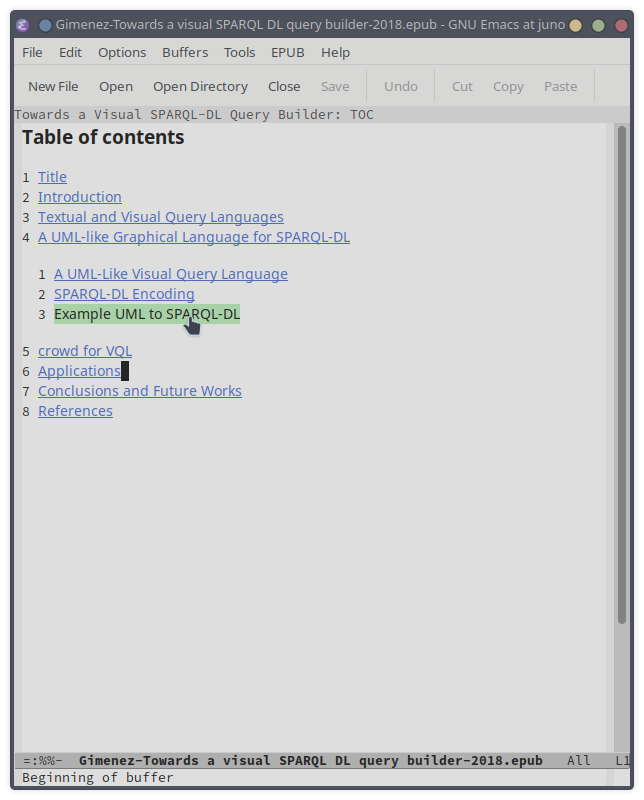
Figure 7: Table of contents in nov.
DocView converts the EPUB file (and other formats) into images. The EPUB is visible with most CSS styles and fonts. However, many features are lost through the conversion, for instance: reflowable content, hyperlinks, and pop-up notes.
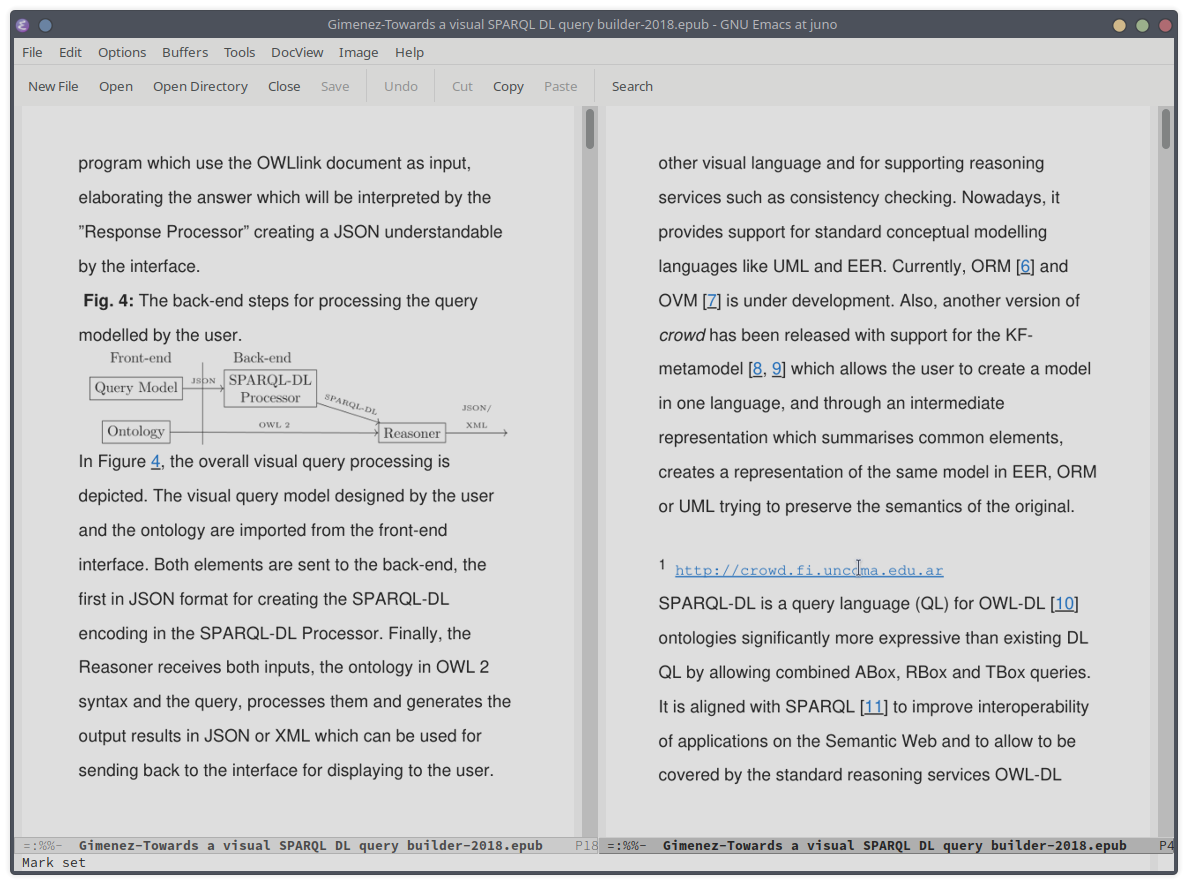
Figure 8: Using DocView to display an EPUB file.
4.2. Editors
4.3. Libraries
5. Editing EPUB
5.1. Notes
6. Conclusions and future work
7. About this work
This section describes technical details about the elaboration of this work.
7.1. Citations
This work uses a JSON CSL sitation. It is generated from a BibLaTeX created using Emacs ebib utility.
CSL is generated using Pandoc with the following command:
pandoc -f biblatex biblio.bib -t csljson -o biblio.json
8. References ATTACH
Footnotes:
https://www.libreoffice.org/ visited 1/1/2025